FEATURE //

12 Google Shortcuts Every Traveler Should Know

by Mike Richard

Did you know the plain ol’ Google search box you use every day is good for a whole lot more than you’re asking of it?

Filed under:
Features, Tips, Travel

Sheila at Geeky Traveller noted the other day that “Google could put out toilet paper and I’d use it.” Because the fact is: Google rules.

But did you know the plain ol’ Google search box you use every day is good for a whole lot more than you’re likely asking of it? Forget going to ten different sites to get your travel info quickly. Just Google it!

Internet Cafe Traveler
© Delgoff.

Here are twelve essential Google travel shortcuts you might have missed:

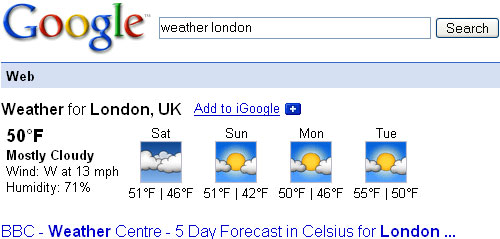
#1: Get Local Weather

Type: “weather [city name or zip/postal code]”

Example: “weather 02818″ or “weather london”

Google Shortcut: Weather

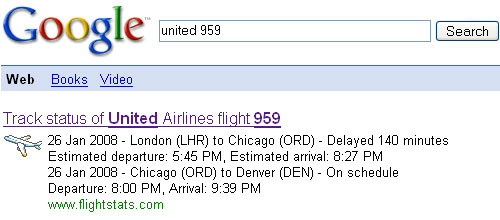
#2: Check Flight Status

Google automagically pulls flight data from FlightStats.com. All you have to do is enter the flight number.

Type: [flight name and/or number]

Example: “aa123″ or “united 959″

Google Shortcut: Flight Status

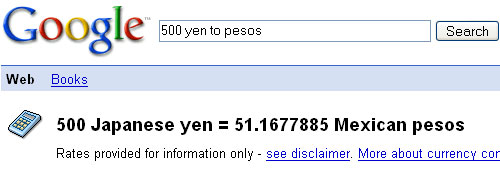
#3: Currency Converter

Type: “[amount] [first currency] to [second currency]”

Example: “1000 usd to euro”
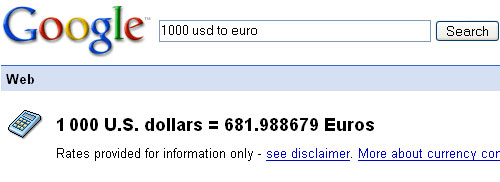
Google Shortcut: Currency US Dollars to Euros

… or:

“500 yen to pesos”

Google Shortcut: Currency (Yen to Pesos)

#4: Find the Local Time Anywhere

Type: “time [city/state/province/country]”

Example: “time tokyo”
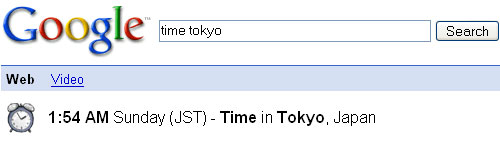
Google Shortcut: Time

#5: Identify People, Foreign Objects, and More

A great tip from Lifehacker:

Google Image search results show you instead of tell you about a word. Don’t know what jicama looks like? Not sure if the person named “Priti” who you’re emailing with is a woman or a man? Spanish rusty and you forgot what “corazon” is? Pop your term into Google Image Search (or type image jicama into the regular search box) to see what your term’s about.

A while back, someone told me of a fruit I’d never heard of called “rambutan”. Plugging the phrase into Google image search revealed that it’s a bright red, quirky looking fruit that’s not likely indigenous to the U.S.:
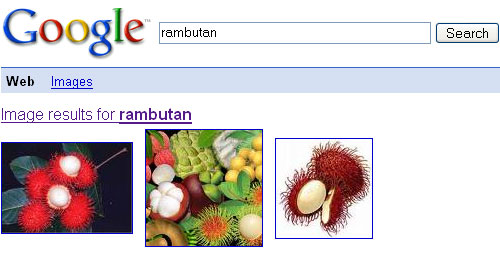
Google Shortcut: Identify Peope, Foreign Objects, and More

#6: View Airport Conditions

Type: “[airport name/code] airport”

Example: “logan airport”
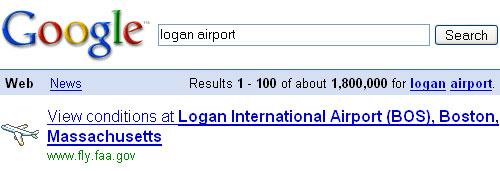
Google Shortcut: Airport Status and Conditions

#7: Convert Temperatures

Type: “[temperature] [C/F] to [F/C]”

Example: “40 C to F”
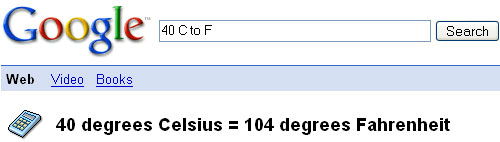
Google Shortcut: Temperature

#8: Convert Distances

Type: “[value] [first distance unit] to [second distance unit]”

Example: “400 kilometers to miles”
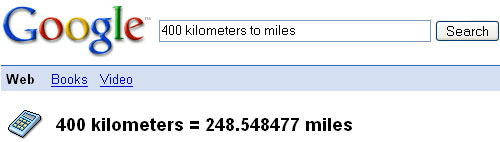
Google Shortcut: Distance

#9: Convert Driving Speeds

Type: “[value] [first distance unit] to [second distance unit]”

Example: “70 kph to mph”
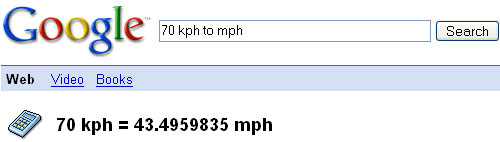
Google Shortcut: Speed

#10: Find a Phone Number

Find a Person:

Type: “[person's name], [city or zip/postal code]”

Example: “john smith, london”
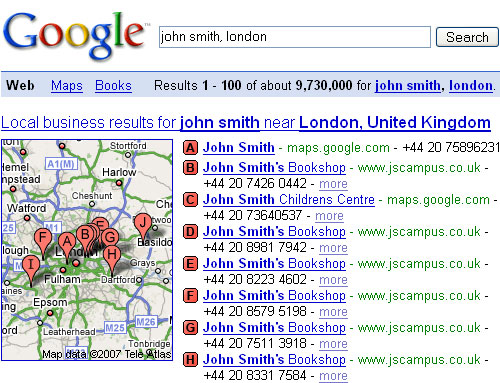
Google Shortcut: Personal Phone Number

Find a Business:

Type: “[business name or type], [city or zip/postal code]”

Example: “apple store, manhattan”
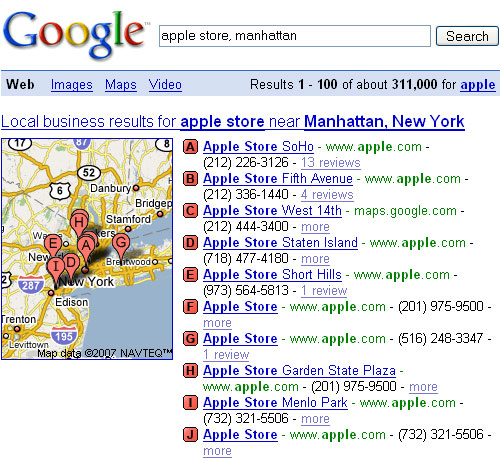
Google Shortcut: Business Phone Number

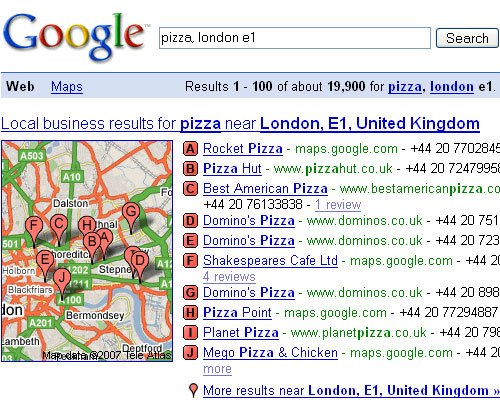
#11: Find Local Food and Restaurants

Type: “[food type], [city or zip code/postal code]”

Example: “pizza, london e1″

Google Shortcut: Food

#12: Track Your Packages

Wondering where that extra pack of socks Mom was supposed to forward you is?

Type: [any USPS, UPS, or FedEx tracking number]

Example: 706479610009807
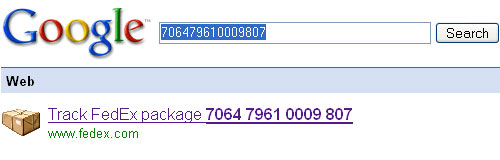
Google Shortcut: Track Packages

Voilà! No longer must you login to each shipping carrier’s official website.

Bonus: Google Translator

Google’s online language translation service is fast, free and a breeze to use.

For example, asking Google to convert Vagabondish’s “What We’re About” statement:

Vagabondish is an online magazine that discusses offbeat backpacking and travel news, advice, how-to tips and tall tales from around the world.

… to Russian reveals:

Vagabondish Это онлайновый журнал, что обсуждает offbeat backpacking и новости, советы, как на советы и высотных сказки из разных стран мира.

Sure, it’s not perfect but if you’re in a pinch a thousand miles from home, it beats paying $300 for Rosetta Stone software.

What other Google shortcuts or hacks do you use in your travels? Feel free to share them with us in the comments below!

If you liked this post, subscribe to our full feed RSS. You can also subscribe by email and have new posts delivered directly to your inbox daily.

A final hat tip to Lifehacker for pointing out some of these.

Learn More

Related topics: Features, Tips, Travel

About the Author


Vagabondish editor, Mike Richard, lives in Rhode Island - a spit of land in the northeastern U.S. He is a professional web designer and travel junkie with an unhealthy addiction to backpacking, camping, hiking and seeing the world. He enjoys knit hats, small, declarative sentences and speaking in the third person.

Share Your Thoughts

Meredith
January 31st, 2008

Great list! I was just trying to remember how to use Google to convert currency this afternoon. It’s nice to have this all in one place… I’ll be referring back!

Stacy
January 31st, 2008

Great idea for a post, Mike! Meredith is right, it is nice to have all of this in one place. Thank you!

Mike
January 31st, 2008

Meredith + Stacy: Thanks! Most people probably already know about many of these but I thought it might provide a helpful “cheat sheet” for travelers.

Amanda
January 31st, 2008

Great post. I use heaps of these already but was pretty impressed with the package tracking idea!!!! Now I’m trying to think of other random numbers that Google might be clever enough to convert into what I’m really looking for. Hmm …

eddie
February 1st, 2008

Great info! I can use all the travel tips I can get!

[...] Vagabondish digs deep and rounds up 12 Google Shortcuts Every Traveler Should Know. From how to check the weather, convert your currency and [...]

MyEggNoodles
February 2nd, 2008

I consider myself a long time web searcher but some of these are gems! Thanks for the great list.

Lola
February 2nd, 2008

Haha! Great stuff Mike.

Marilyn Terrell
February 4th, 2008

Just don’t make the mistake of these two Googlers on “Google Maps Gone Bad”!

http://cartophilia.com/blog/20.....html#links

walter
February 14th, 2008

you can use “define:” in front of any word or term and you will find definitions. E.G.: http://www.google.com/search?q=define%3Arainforest

Keep track of your travels with your very own google map: goto maps.google.com and go to the tab “My Maps”.

On google maps, you can get driving directions by typing “city1 to city2″: http://maps.google.com/maps?q=amsterdam+to+paris

On google finance you can find the trends for currency conversions for e.g. USD to EUR (you will also get useful news links explaining why exchange rates changed): http://finance.google.com/finance?q=EURUSD

You can use “location:” in front of your search to localize it

You can find easy flight info by typing “city1 to city2″ in normal google: http://www.google.com/search?q.....o+new+york

for gmail users: use searches like “label:labelname” or “is:unread”. More tips here: http://mail.google.com/support.....nswer=7190

There, that should keep you busy for now ;)

Mike
February 14th, 2008

Hey, Walter: all great tips. Thanks for sharing!

[...] users have always used Google for everything, including travel. Today the vast majority of all travelers are using the internet for every phase of their [...]

[...] Geared towards travellers, this site has uses for the classroom too. Did you know the plain ol’ Google search box you use every day is good for a whole lot more than you’re likely asking of it? Check it out below… – The URL: http://www.vagabondish.com/12-.....ould-know/ [...]

RaeAnna
October 29th, 2008

Don’t forget Google’s text messaging helps!

http://ppcre.com/node/282

[...] 12 Google Shortcuts Every Traveler Should Know [...]

dan
November 6th, 2008

A very complete guide of the Google search shortcuts

http://www.logblo.com/2008/11/.....Part1.aspx

[...] 12 Google Shortcuts Every Traveler Should Know (tags: GoogleTools GoogleMaps) [...]

[...] is a woman or a man? Spanish rusty and you forgot what “corazon” is? Pop your term into Google Image Search (or type image jicama into the regular search box) to see what your term’s [...]

[...] Convert temperatures: Type "[temperature][C/F] to [F/C]" to get the correct temperature. [...]

[...] Convert temperatures: Type “[temperature][C/F] to [F/C]” to get the correct temperature. [...]

[...] Here are the best Google travel tips: [items 1 - 12 were originally put together by Vagabondish, an excellent travel blog] [...]


TWITTER with US


SUBSCRIBE to VAGABONDISH.COM

Via E-mail: